For freelancers & solo firms
Get it signed. Get paid. Keep every copy.
Send contracts for tamper-evident e-signature, then keep every signed agreement, invoice and tax document organized, searchable and private. One calm home for the paperwork side of running your own thing.
Start free, then Pro at $14 / mo for unlimited signing. Your clients never need an account to sign.
The freelancer math
Paperwork is quietly costing you money.
The admin side of freelancing is where hours and dollars leak out. Here is what the research says, and where Stoatify plugs the holes.
of freelancers get paid late at least some of the time. A signed contract with clear terms is your first line of defense.
Source: Clockifyis the average amount an unpaid freelancer is owed at any given time. Keep every agreement and invoice provable.
Source: Clockifyis all DocuSign's Personal plan lets you send, at $10 to $15 a month, with nowhere to file the results.
Source: Docusigna week is what knowledge workers lose just searching for information. Full-text search hands that time back.
Source: McKinsey via TechRepublicEverything the admin needs
The whole contract lifecycle in one place.
Draft, sign, store, find. One tool instead of a signing service, a cloud drive and a folder of chaos.
Tamper-evident e-signatures
Send a contract, SOW or NDA and collect a signature with a full audit trail and a tamper-evident certificate. Your client signs from a link, no account required. Your first few sends are free, then Pro at $14 / mo unlocks unlimited signing.
Keep the signed copy with the draft
Download the signed PDF and keep it in your vault next to the draft. No more hunting your inbox for the final copy two years later.
Organized by client and category
Choose categories and client tags for contracts, invoices, receipts, W-9s, and 1099s so they are ready to retrieve at tax time.
Find any client doc instantly
Full-text search reads the words inside your scans and PDFs. Pull up that one clause, invoice or receipt in seconds, even years later.
Ready for tax season
Everything is tagged by client and category as it arrives, so pulling every invoice, receipt and 1099 for the year is one filtered view, not a weekend of digging.
Password-protected share links
Send a client a clean, password-protected link to a document or saved collection. Revoke access the moment the project wraps.
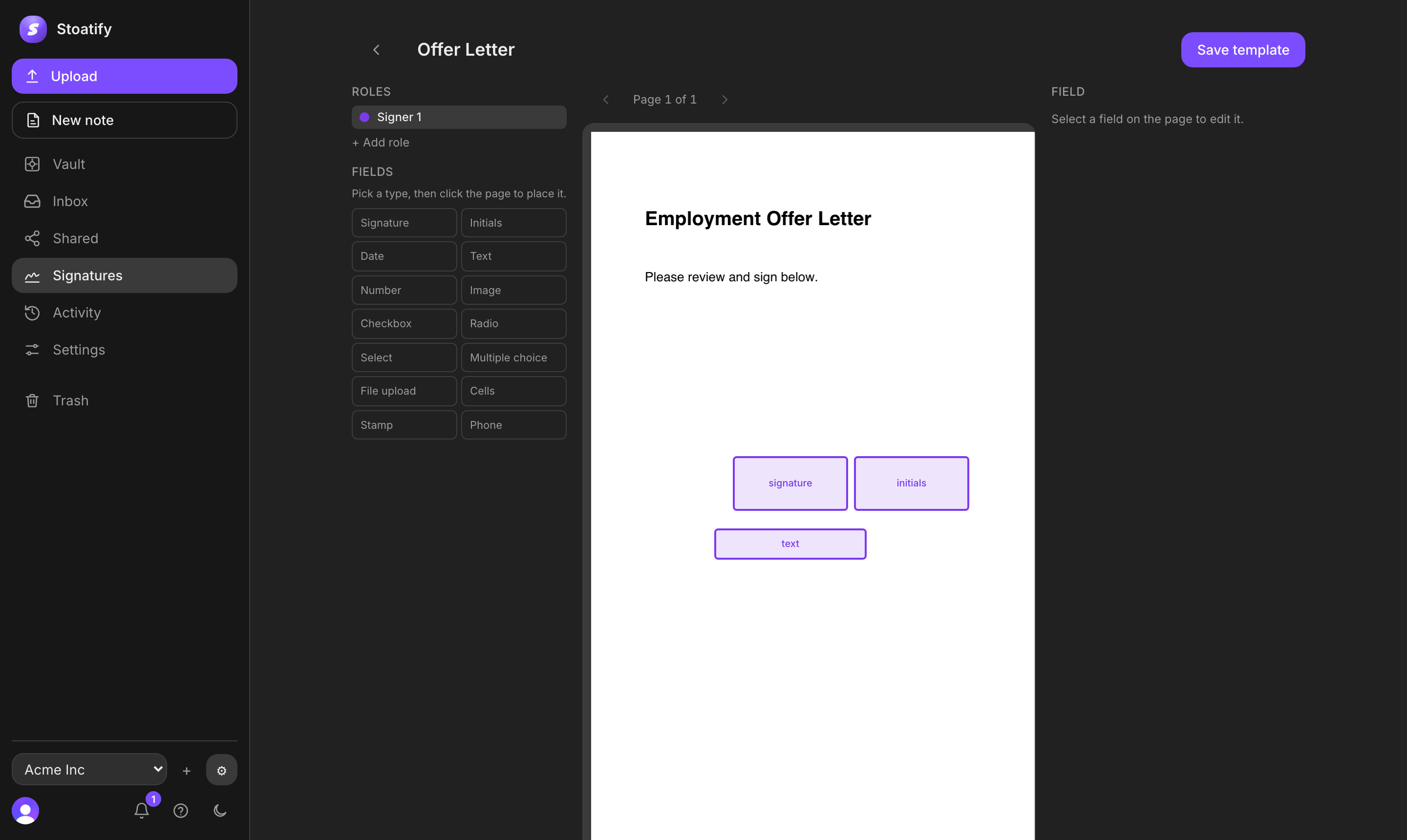
E-signature
Send a contract in a minute, get it signed from anywhere.
Drop in your agreement, place the signature and date fields, and send. Your client signs from a link on any device with no account and no friction, and you get a cryptographically sealed, tamper-evident result.
- Tamper-evident signatures with a complete audit trail
- Reusable templates for the contracts you send every week
- Clients sign from a link, no account or app to install
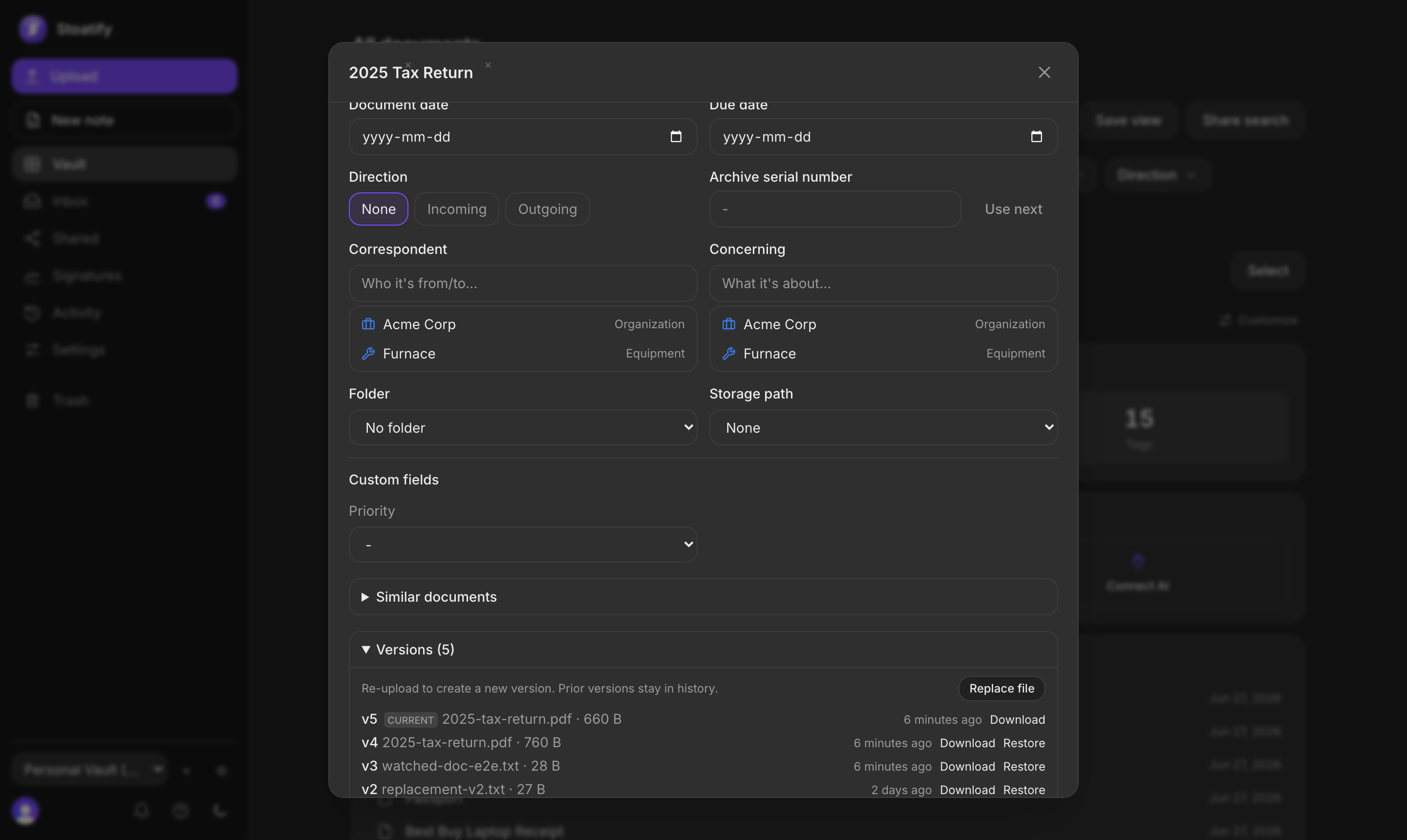
Versioning
Keep the signed copy next to the draft.
When everyone has signed, download the final PDF and keep it in your vault, so the authoritative copy is never the one buried in your inbox.
- Download the sealed PDF and keep it with the draft
- Full version history for every agreement
- Tagged by client and project, so a year of records is one filtered view
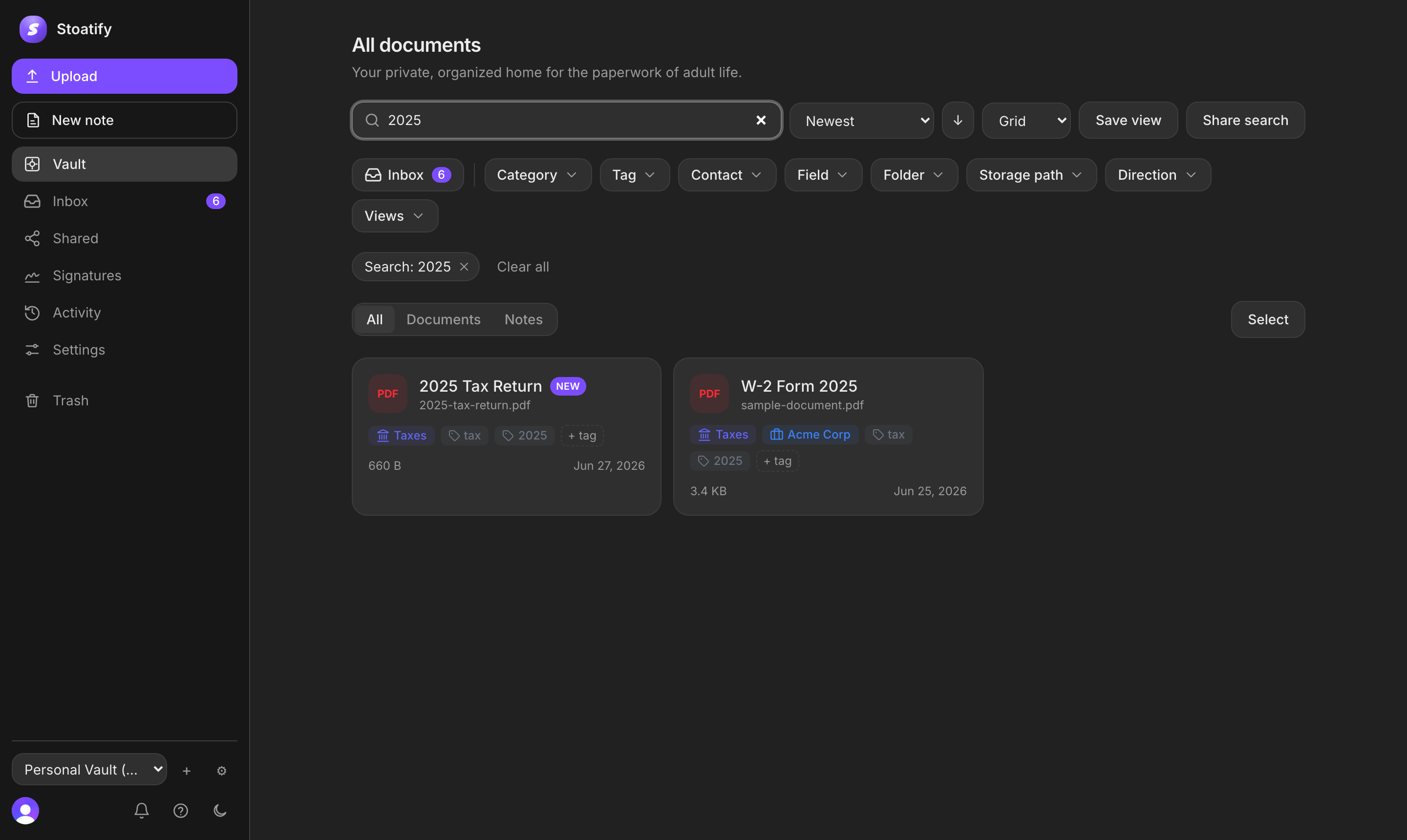
Search
Find any clause, rate or date.
Stoatify reads the text inside every scan and PDF, so you can search by what a document actually says. Pull up a rate, a renewal date or a specific invoice in seconds, from two years of records.
- Full-text OCR search across every document
- Filter by client, tag, category or date
- Command palette to jump anywhere with the keyboard
The freelancer flow
Draft, sign, file and get paid, all in one place.
One continuous track: draft the agreement, get it signed, file the result, get paid. No handoffs between three different tools.
Draft
Drop in your contract or start from a reusable template.
Sign
Your client signs from a link, no account, full audit trail.
File
Download the signed PDF and keep it next to the draft.
- $
Paid
Invoice and receipt sit right beside it, ready at tax time.
An honest comparison
Signing, plus somewhere to keep it.
DocuSign signs documents and stops there. Stoatify signs them and then gives them a real, searchable home.

DocuSign pricing and envelope limits per its published Personal plan (accessed 2026). Comparison reflects our reading of publicly listed features.
Your whole book of business, in one vault.
If a client could ask for it, keep it where you can find it.
Pricing
Pricing that fits a business of one.
Start free and send your first contracts. Move to Pro for unlimited signing plus more storage, family sharing and version history, or add a seat or two if you bring on help. One flat price, no per-signature nickel and diming.
Free
A useful vault at no cost.
Free forever. No billing information required.
- 2 GB storage
- 25 MB max file size
- Categories and colored tags
- Full-text OCR search in 100+ languages
- Notes, trash and 30-day recovery
- 3 e-signature requests per billing period
- Community support
Plus
More space and organizing tools.
Monthly equivalent when billed annually.
Charged US$60 per vault each year. Save US$24 (29%).
- 25 GB storage
- 100 MB max file size
- Everything in Free, plus:
- Custom fields and saved views
- Password-protected share links
- Editable OCR text
- 10 e-signature requests per billing period
- Standard support
Pro
More storage, family sharing and archival tools.
Monthly equivalent when billed annually.
Charged US$132 per vault each year. Save US$36 (21%).
- 200 GB storage
- 250 MB max file size
- Everything in Plus, plus:
- Unlimited e-signature requests
- Office previews and PDF/A archival
- Family sharing, up to 5
- Priority support
Prices in USD. Billed per vault. Save up to 30%. Going over a plan limit pauses additional uploads; your existing documents always stay.
Guides
The paperwork, explained.
Free guides to the contracts you send and the records you keep. No signup required.
FAQ
Common questions from freelancers
How trustworthy are the signatures?
Stoatify produces electronic signatures with a complete audit trail and a tamper-evident certificate, the same category of e-signature businesses rely on every day. Every signing event is recorded so you can prove who signed what, and when.
Do my clients need a Stoatify account to sign?
No. You send a signing link and your client signs from any browser on any device, with no account and no app to install. It is deliberately frictionless so you are not the reason a deal stalls.
How is this different from just using DocuSign?
DocuSign focuses on signing. Stoatify combines signing with an organized, searchable vault where you can keep the downloaded result alongside invoices, receipts and tax documents. One tool instead of three.
How many documents can I send?
Your first few sends are free so you can try real signing. When you need volume, Pro at $14 / mo unlocks unlimited sending, still not metered per envelope, so a busy month never turns into a surprise bill. That beats DocuSign's five-per-month Personal cap.
Is it ready for tax season?
That is one of the best parts. Because everything is tagged by client and category as it comes in, pulling every invoice, receipt and 1099 for the year is a single filtered view, not a weekend of digging.
Who can see my documents?
Only you, and anyone you explicitly share with. Files stay behind your login and are never used for advertising or to train AI. A document you are not authorized to see returns a not-found response rather than revealing that it exists.

Get your next contract signed and filed.
Send your first contracts for signature free, then move to Pro at $14 / mo for unlimited signing. No card to start.
No credit card required